

For former Free-for-Teacher users
Upgrade to an administrative Canvas account
Keep the Canvas you and your learners know, bring your course exports, and run your whole program: add teachers and learners, organize sub-accounts, and build from Blueprint courses, with no course limit. From $50 a month.
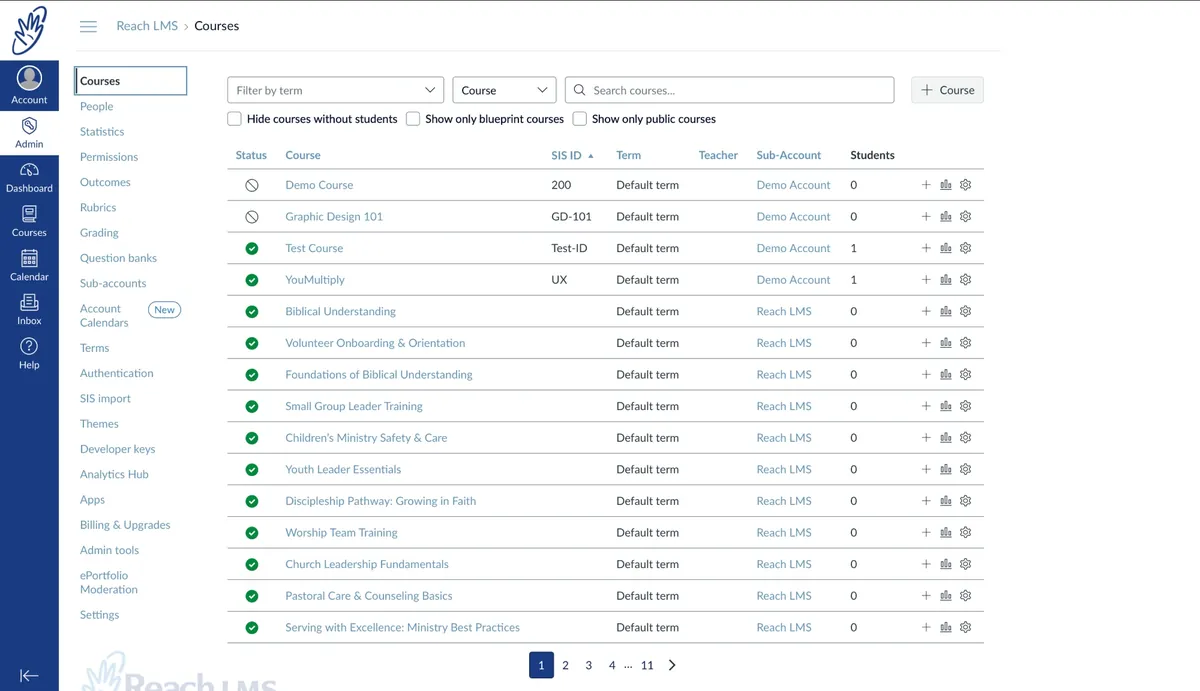
Oversee your courses
Administer your institution
What changed
Free Canvas for teachers looks different now
Free-for-Teacher closed
Instructure shut down Canvas Free-for-Teacher in May 2026, then opened two short windows, in May and July, to export courses.
Canvas Lite replaced it
Canvas Lite launched on 30 September 2026. It is free, and each teacher verifies their identity with a government ID and a selfie.
With firm limits
Canvas Lite allows 5 courses, 50 students per course and 500 MB of storage per course. Administrative features, course analytics and attendance tracking need a full Canvas licence.
From Instructure’s Canvas Lite announcement of 11 September 2026. Canvas LMS is a trademark of Instructure, Inc. ReachLMS is not affiliated with Instructure.
Side by side
Canvas Lite or ReachLMS?
| Feature | Canvas Lite | ReachLMS Saver | ReachLMS Premium |
|---|---|---|---|
| Price | Free | $50/month, billed yearly | $80/month, billed yearly |
| The Canvas you know The same interface you, your learners and many colleges already use. | |||
| Modules and pages with rich content | Yes | Yes | Yes |
| File, text and URL submissions | Yes | Yes | Yes |
| Quizzes | Yes | Enriched Classic Quizzes | Enriched Classic Quizzes |
| Rubrics | Yes | Yes | Yes |
| SpeedGrader | With annotation | View and comment | With advanced annotation |
| Messaging, discussions and announcements | Yes | Yes | Yes |
| Mobile apps | Canvas Student and Canvas Teacher | ReachLMS app for iOS and Android | ReachLMS app for iOS and Android |
| Google Drive, Zoom and Microsoft Teams integration | Yes | Yes | Yes |
| Where ReachLMS goes further | |||
| Administrative Canvas account, with sub-accounts and Blueprint courses | No | Yes | Yes |
| Courses | 5 | No limit* | No limit* |
| Learners | 50 per course | 50 included, then $0.50 each | 80 included, then $0.80 each |
| Storage | 500 MB per course | 25 GB in total, no limit per course or user | 40 GB in total, no limit per course or user |
| Sign-up | Government ID and selfie | Check out online | Check out online |
| Course analytics | No | No | Advanced analytics and reporting |
| Support | Self-serve guides | Email and WhatsApp for every user | Email and WhatsApp for every user |
| Start Saver | Start Premium | ||
*Fair use: up to 500 courses. Storage is shared across your account, with no limit per course or per user, and each additional learner adds 1 GB. Saver and Premium are also $60 and $96 a month billed monthly. Zoom and Teams use your own licence. From Instructure’s Canvas Lite announcement of 11 September 2026. Compare every feature.
Until 31 January 2027
We import up to 10 courses free
Start Saver or Premium by 31 January 2027 and send us your Canvas course exports (.imscc files). We import up to 10 of them into your ReachLMS account at no charge and check that they open cleanly. After that date, our migration packages start at $600.
- 1 Start Saver or Premium online.
- 2 Tell us you have course exports, using the contact form.
- 3 We send you a link to upload them, then let you know when they are in.
Is it right for you?
Built for programs, not just a class or two
If you teach a few small classes and have no budget, Canvas Lite may be all you need. ReachLMS suits programs that have outgrown it.
Homeschool co-ops and tutors
More families, more subjects, one place for lessons, quizzes and grades.
Church and ministry training
Discipleship, leader and volunteer courses that run every term.
Small Bible institutions
Programs with several courses, faculty and a growing student body.
Independent instructors
Paid cohorts and certificates that need more than five courses.
Frequently asked questions
Is ReachLMS the same Canvas I used on Free-for-Teacher?
It runs open source Canvas LMS, the code Instructure publishes, hosted and supported by us. Modules, pages, quizzes, discussions, rubrics and SpeedGrader work the way you know them. The difference is that you get an administrative Canvas account, so you create your own courses, add your own teachers and learners, and organize them into sub-accounts. ReachLMS is not affiliated with Instructure, Inc.
Will my Free-for-Teacher course exports import?
Yes. A Canvas course export (an .imscc file) imports with its modules, pages, assignments, quizzes, discussions, files and rubrics. Enrollments, student work and grades are not part of an export, so they don’t carry over. Our import guide walks through it. Or let us do it: start Saver or Premium by 31 January 2027 and we import up to 10 courses free.
I didn’t export my courses in time. What now?
You’ll need to rebuild them, but not from a blank page. Blueprint courses and templates let you build one course and reuse its layout across the rest. If you have your notes, slides and quizzes saved elsewhere, contact us and we’ll quote to build the courses for you.
How are learners counted?
By active learners: users with an active enrollment in at least one published course that hasn’t concluded and is within its availability window. Invited learners count once they accept. Saver includes 50 and Premium 80, then $0.50 or $0.80 for each extra learner. There is no limit on courses (fair use: 500).
How much storage do I get?
25 GB on Saver and 40 GB on Premium, shared across your whole account. There is no limit per course or per user, so a few large courses, or a small group with big files, can use it all. Each additional learner adds 1 GB, so to add storage, you add learner seats.
Do I have to verify my identity?
No. There is no ID or selfie check. You check out online with a card, then invite your learners by email.
Do my learners pay?
No. You pay for the plan, and your learners join free. If you want to sell courses, e-commerce is available on a Dedicated instance.
Can I cancel?
Yes, any time. Payments aren’t refunded, so if you cancel partway through a month or year you’ve already paid for, your plan stays active until the end of that term.
Can we grow into our own instance later?
Yes. Once you pass a few hundred learners, or want your own domain, login page and SSO, a Dedicated instance is the usual next step, and we move your courses across for you.
Keep Canvas. Keep your courses.
An administrative Canvas account, hosted, backed up and supported, with your courses back where they belong.
Questions first? Talk to us
Cancel any time · Email and WhatsApp support for every user